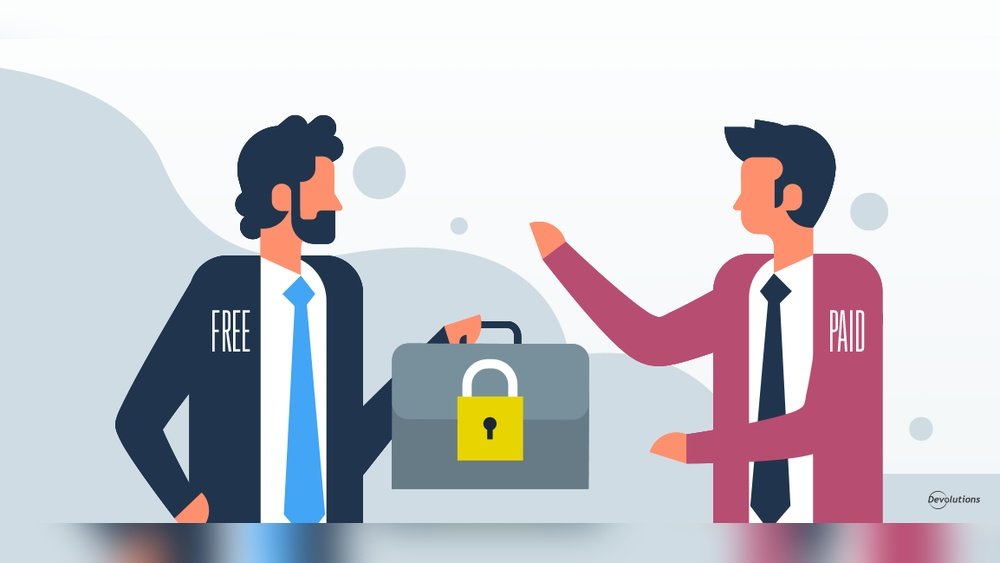
You have so many passwords to remember—emails, banking, social media—and keeping them safe is a must. But should you settle for a free password manager or invest in a paid one?
It’s a question that can save you time, hassle, and even protect you from serious security risks. You’ll discover the real differences between free and paid password managers, what features really matter for your safety, and how to decide which option fits your needs best.
Keep reading—your digital security depends on making the right choice.

Free Password Managers
Free password managers help store and organize passwords without cost. They suit users who need basic protection and easy access. These tools offer convenience for managing multiple accounts securely. Understanding their features and limits helps choose the right tool for daily use.
Popular Options
Some well-known free password managers include LastPass Free, Bitwarden, and Dashlane Free. These options offer solid basic services. Many users trust them for everyday password storage. Each has unique strengths in usability and platform support.
Core Features
Free password managers usually include password storage and autofill. They generate strong passwords to improve security. Syncing across devices is common but may be limited to a few. Basic security alerts notify users of weak or reused passwords.
Security Basics
Most free managers use strong encryption to protect data. They rely on a master password for access control. Two-factor authentication may be available to add extra security. Regular updates help fix vulnerabilities and improve protection.
Limitations To Expect
Free versions often limit the number of devices you can sync. Some restrict advanced features like dark web monitoring or password sharing. Customer support may be minimal or slower than paid plans. Ads or prompts to upgrade can appear in the interface.

Paid Password Managers
Paid password managers offer robust tools for managing passwords securely. They provide more than basic storage and can handle complex security needs. These services often include extra features designed to protect your data and improve your experience. Investing in a paid manager can bring peace of mind and convenience that free versions may lack.
Top Providers
Leading paid password managers include LastPass, Dashlane, and 1Password. These providers have earned trust for reliable service and strong security. They often update their software to fix issues and add new functions. Choosing a top provider ensures your passwords stay safe and accessible.
Advanced Features
Paid managers offer features like password sharing, automatic password changes, and secure notes. They support multi-device syncing without limits. Some include dark web monitoring to alert you of breaches. These extras help you stay organized and protect sensitive information better.
Enhanced Security
Paid options use stronger encryption methods to guard your data. They offer two-factor authentication and biometric login for added protection. Regular security audits keep the software safe from threats. This level of security reduces risks of hacking and data theft.
Customer Support
With a paid subscription, support teams are available to help quickly. You get access to live chat, email, or phone support. Expert help can solve issues or answer questions anytime. This support improves user experience and problem resolution speed.
Security Comparison
Security is the top priority when choosing a password manager. Free and paid versions differ in how they protect your data. Understanding these differences helps you decide which fits your needs best. This section compares key security features of free and paid password managers.
Encryption Standards
Encryption keeps your passwords safe by turning them into unreadable code. Paid password managers often use stronger encryption methods like AES-256. Free versions sometimes use weaker or older standards. Strong encryption means hackers find it harder to access your data.
Data Breach Protection
Data breaches expose user information to hackers. Paid managers usually offer faster and better breach detection. They alert you immediately if your data is at risk. Free managers may have slower or no breach alerts, increasing your risk.
Dark Web Monitoring
Dark web monitoring scans for your leaked passwords online. Paid password managers often include this feature. They notify you if your credentials appear in stolen data. Free versions rarely provide dark web checks, leaving you unaware of leaks.
Multi-factor Authentication
Multi-factor authentication (MFA) adds extra security layers. Paid managers support various MFA options like biometrics or hardware keys. Free versions may only offer basic MFA or none at all. Using MFA reduces the chance of unauthorized access.
Usability And Compatibility
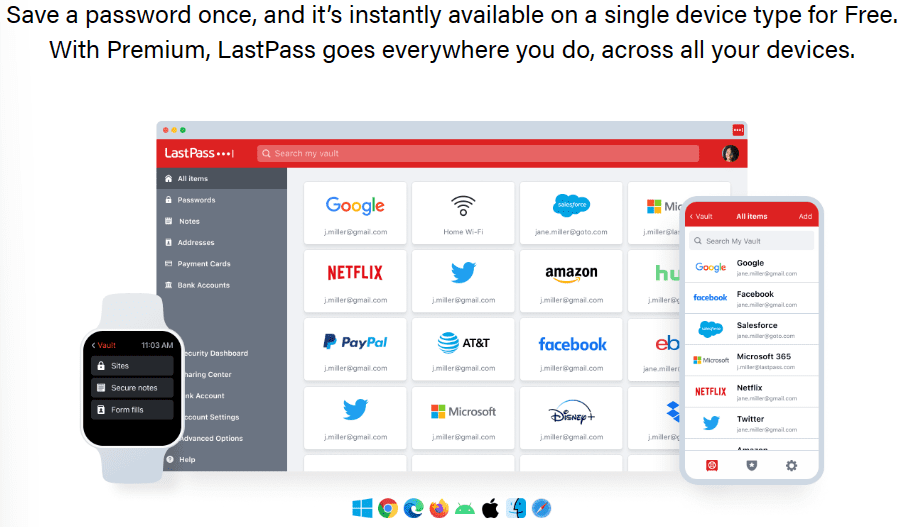
Usability and compatibility are key when choosing a password manager. A tool that works smoothly across devices and browsers makes password management easier. The interface should be simple for everyone, even beginners. Sharing passwords securely is also important for families or teams. Free and paid password managers differ in these areas. Understanding these differences helps pick the best option.
Device Support
Free password managers usually cover basic devices like Windows and Android. Paid ones often support more platforms such as Mac, iOS, Linux, and even smartwatches. Paid versions update faster to support new devices. They also allow syncing across unlimited devices. Free plans may limit the number of devices you can use.
Browser Integration
Browser extensions make filling passwords faster. Paid managers often support all major browsers like Chrome, Firefox, Safari, and Edge. Free options might support fewer browsers. Paid versions offer more features in browser extensions, such as password health reports. Free versions focus mainly on autofill and password saving.
User Interface
Paid password managers usually have cleaner, easier-to-navigate interfaces. They include helpful tutorials and tips. Free versions can be less polished and may have ads. Paid tools offer more customization options. Both types aim to keep the interface simple but paid versions provide a smoother experience.
Password Sharing
Sharing passwords safely matters for teams and families. Paid managers offer secure sharing with permissions and controls. Free versions often lack secure sharing or limit it severely. Paid plans allow sharing multiple passwords with different users. Free plans may only allow one or two shared passwords.
Cost And Value
Choosing between a free and paid password manager depends a lot on cost and value. Budget matters, but so does what you get for your money. Understanding pricing, subscription plans, trial periods, and long-term benefits helps make a smart choice.
Free Vs Paid Pricing
Free password managers cost nothing upfront. They offer basic features like saving and auto-filling passwords. Paid options require a fee but include advanced security and tools. The price often reflects added value, such as priority support or more storage.
Subscription Plans
Paid password managers usually offer monthly or yearly subscriptions. Some have family or business plans for multiple users. Free versions do not require subscriptions but limit the number of devices or passwords stored. Subscriptions often come with regular updates and new features.
Trial Periods
Many paid services provide trial periods. These let users test features without paying immediately. Trials last from a few days to a month. Free versions have no trial because they are already free, but they may lack some advanced tools found in trials.
Long-term Benefits
Paid password managers offer better support and stronger security over time. Regular updates fix bugs and improve protection. They often add features like dark web monitoring or secure sharing. Free versions may not keep up with new threats or user needs as well.
Choosing The Right Manager
Choosing the right password manager is key to protecting your online accounts. The decision between free and paid options depends on your personal needs and preferences. Careful thought helps avoid frustration later. This guide breaks down important factors to consider before making your choice.
Assessing Your Needs
Start by listing what you want from a password manager. Do you need it for just one device or multiple? Consider if you want features like password sharing or secure notes. Think about how many passwords you manage daily. Understanding your needs narrows down your options effectively.
Evaluating Features
Compare features offered by free and paid managers. Free versions usually cover basics like password storage and autofill. Paid versions often add advanced tools like dark web monitoring or VPN access. Check if the interface is user-friendly. Features should match your daily habits and security goals.
Considering Security
Security is the top priority in any password manager. Look for strong encryption standards and zero-knowledge policies. Paid managers sometimes offer better security audits and breach alerts. Check if the service supports two-factor authentication. Make sure the provider has a good reputation for protecting data.
User Reviews And Feedback
Read user reviews to learn about real experiences. Reviews reveal strengths and weaknesses free trials might miss. Look for feedback on ease of use, customer support, and reliability. Pay attention to any common issues reported by users. This insight helps you avoid tools with hidden problems.
Migration And Setup
Switching from one password manager to another requires careful migration and setup. This process ensures all your passwords move safely and your new manager works well. A smooth transition avoids lost data or confusion.
Both free and paid password managers offer tools for migration. Still, the ease and features can differ. Understanding export, import, and initial settings helps you pick the right option.
Exporting Passwords
Exporting saves your current passwords into a file. Most password managers allow export in CSV or encrypted formats. Free managers may limit export options or add extra steps. Paid versions often provide direct and secure export tools. Always check export settings before starting.
Importing To New Manager
Importing moves exported passwords into your new manager. This step is usually simple with paid managers offering guided imports. Free managers may need manual file selection or formatting fixes. Confirm the new manager supports your export file type to avoid errors.
Initial Configuration
After import, configure your new password manager. Set master passwords, enable two-factor authentication, and adjust sync settings. Paid managers often offer advanced security and customization options. Free versions focus on basic setup but cover essential security measures.
Tips For Smooth Transition
- Backup your passwords before exporting.
- Use encrypted export files if possible.
- Test import with a small batch first.
- Set a strong master password immediately.
- Explore security features after setup.
- Keep both managers active until confident.
Common Myths And Concerns
Many people hesitate to choose between free and paid password managers. Common myths and concerns create confusion. These doubts often focus on safety, privacy, and trust. Understanding facts helps you make the best choice for your needs.
Trustworthiness Of Free Tools
Free password managers can be reliable. Some are open source and well tested. They use strong encryption to protect your data. Yet, not all free tools have the same quality. Research each option before trusting it with your passwords.
Is Paid Always Safer?
Paid password managers offer extra features like advanced alerts and backups. These can boost security but do not guarantee complete safety. Security depends on the company’s practices, not just the price. Free tools can also be secure if maintained properly.
Data Privacy Issues
Data privacy is a key concern for both free and paid managers. Some free tools may collect data to support their services. Paid managers usually have clearer privacy policies. Always read privacy terms carefully to know how your data is handled.
Handling Password Loss
Password recovery options differ among managers. Paid tools often provide multiple ways to recover lost passwords. Free tools may have limited or no recovery options. Consider how each manager handles this before choosing one.
Frequently Asked Questions
Are Paid Password Managers Better Than Free?
Paid password managers offer advanced security, more features, and better customer support than free versions. Free tools cover basics only.
Is There A 100% Free Password Manager?
Yes, some password managers like Bitwarden and LastPass offer 100% free plans with basic features. Free versions lack advanced tools and priority support. For enhanced security and features, paid options are recommended. Free managers suit casual users needing simple password storage and generation.
Can You Trust A Free Password Manager?
Free password managers offer basic security and password storage. Trust depends on the provider’s reputation and encryption standards. For advanced features and stronger protection, consider paid versions. Always research and choose reputable services to keep your data safe.
Why Is Google Password Manager Not Recommended?
Google Password Manager lacks advanced security features and limited cross-platform support. It offers basic protection but misses robust encryption and detailed breach alerts. Paid managers provide stronger security, better password sharing, and comprehensive monitoring, making them safer choices for sensitive data management.
Conclusion
Choosing between free and paid password managers depends on your needs. Free versions offer basic password storage and generation. Paid options often provide extra features like secure sharing and dark web monitoring. Consider how many devices you use and what security level you want.
Free tools work well for simple needs. Paid plans suit those who want more control and protection. Both can improve your online safety. The key is to pick one that fits your lifestyle and keeps your data safe.
This post contains affiliate links. I may earn a commission if you make a purchase through them, at no extra cost to you.