You probably save passwords directly in your browser because it feels quick and easy. But have you ever stopped to wonder if that’s really the safest choice for protecting your online accounts?
When it comes to managing passwords, not all methods are created equal. You might think your browser’s built-in password save feature is enough, but dedicated password managers offer much more security and convenience. You’ll discover the key differences between password managers and browser password saving, and why choosing the right tool could make a huge difference in keeping your digital life safe.
Keep reading to find out what you might be risking—and how to protect yourself better starting today.
Password Storage Options
Choosing where to store your passwords affects your online safety and convenience. Two main options exist: saving passwords directly in your browser or using a separate password manager. Both have pros and cons, but understanding how they work helps you pick the best choice for your needs.
Browser-based Password Saving
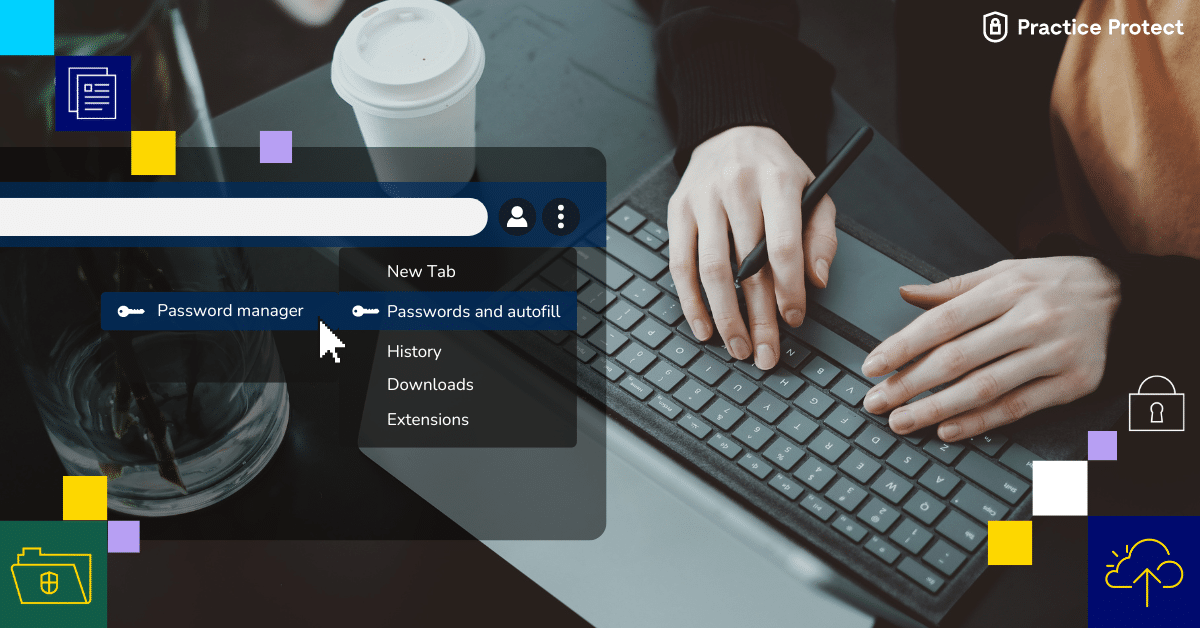
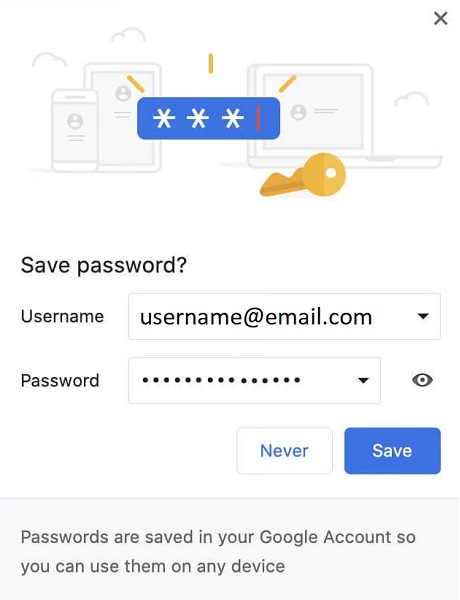
Browsers like Chrome, Firefox, and Edge offer built-in password saving features. When you log into a website, the browser asks to save your password. It then fills in your login details automatically next time. This method is quick and easy, requiring no extra software.
These browsers encrypt your passwords and sync them across devices if you sign in with an account. However, the security level depends on the browser’s protection and your device’s safety. If someone accesses your device, they might see your saved passwords.
Browser-based saving works well for casual users with few accounts. It does not support advanced features like password sharing or cross-platform support outside browsers. Also, if you switch browsers, your saved passwords may not transfer automatically.
Standalone Password Managers
Standalone password managers are apps designed solely to store and manage passwords securely. They use strong encryption to protect your data from hackers and unauthorized access. These tools often generate strong, unique passwords for every account.
Many password managers work on multiple devices and browsers. They offer features like secure notes, password sharing, and alerts for weak or breached passwords. This helps maintain better security and control over your accounts.
Standalone managers require a master password to unlock your vault. This adds an extra layer of protection. They also back up your passwords safely, so you don’t lose access if your device breaks or is lost.
Security Features Compared
Comparing security features highlights key differences between password managers and browser password saving. Password safety depends on encryption, breach protection, and user authentication methods. These factors show which method better guards your personal data.
Encryption Standards
Password managers use strong encryption like AES-256 to secure data. This method scrambles passwords so only the user can read them. Browsers also encrypt saved passwords but often use weaker standards. This makes password managers safer against hacking or data theft.
Data Breach Protection
Password managers alert users if a data breach exposes saved passwords. They check databases of leaked credentials and warn you to change passwords. Browsers lack real-time breach monitoring and notifications. This leaves users unaware if their saved passwords are compromised.
Master Password And Authentication
Password managers require a master password to unlock stored data. This adds a strong security layer protecting all saved passwords. Many also support two-factor authentication for extra protection. Browsers rely on device login without a separate master password, lowering security.
Usability And Convenience
Usability and convenience play a major role in choosing between a password manager and a browser’s built-in password save feature. Both options aim to simplify how you handle passwords, but they differ in how they deliver this ease. Understanding their differences helps you pick the best fit for daily use.
Auto-fill Capabilities
Password managers offer strong auto-fill functions across many websites and apps. They can fill login details accurately without needing manual input. Browsers also auto-fill passwords but mainly work within the browser environment. This limits auto-fill to websites only, not apps or other programs. Password managers often include options to customize auto-fill, improving speed and accuracy.
Cross-platform Support
Most password managers work on multiple devices and operating systems. This means passwords sync securely on your phone, tablet, and computer. Browser password saves usually stay tied to one browser or device. Syncing across different devices requires signing into the same browser account. Password managers provide a smoother experience across platforms without extra setup.
User Interface And Experience
Password managers focus on making password storage and retrieval simple and clear. They often have dedicated apps with easy menus and search functions. Browser password saves integrate into the browser, which can feel less organized. Password managers also offer clear alerts for weak or reused passwords. This helps users manage their online security more actively.

Customization And Additional Tools
Customization and additional tools set password managers apart from browser password save features. These extras enhance security and ease of use. Password managers offer more control and useful functions to protect your digital life.
Password Generation
Password managers create strong, random passwords for every account. This reduces the risk of hacking due to weak or repeated passwords. Browsers often generate simple passwords or none at all. Custom password lengths and character types are common in managers.
Security Audits And Alerts
Password managers scan your saved passwords for weaknesses or breaches. They notify you if a password is too weak or reused. Alerts warn you about security risks fast. Browsers rarely provide detailed audits or timely alerts.
Multi-factor Authentication Integration
Password managers support multi-factor authentication (MFA) for extra protection. MFA adds a second step to verify your identity. Some managers integrate with authentication apps or hardware keys. Browser password saving usually lacks this advanced security option.
Risks And Vulnerabilities
Passwords keep our online accounts safe. Storing them properly is very important. Both browsers and password managers offer ways to save passwords. Each has risks and weak points. Understanding these helps you protect your data better.
Risks can come from software flaws, hacking, or user mistakes. Some risks affect browser password saving more. Others target third-party password managers. Knowing common attack methods helps you stay alert.
Browser Password Manager Weaknesses
Browsers often store passwords without strong encryption. This makes them easier to steal if hackers access your device. Many browsers save passwords in plain text or weakly encrypted files.
Browser password managers also lack advanced security features. They do not alert you about weak or reused passwords. Syncing passwords between devices can expose data to risks.
Attackers can exploit browser vulnerabilities or malicious extensions. These can extract saved passwords without your knowledge. Browsers are common targets because they hold lots of sensitive data.
Third-party Manager Threats
Third-party password managers use strong encryption to protect your data. Still, they face threats like software bugs and server breaches. If their servers get hacked, encrypted data might be at risk.
Some password managers have weak master password policies. This can let attackers guess or crack your master password. Sharing or syncing across devices also creates exposure points.
Malicious apps or phishing attacks can trick you into giving away your master password. Trust and careful use are key to avoiding these threats with third-party managers.
Common Attack Vectors
Phishing attacks remain a top method to steal passwords. Attackers create fake sites that look real to capture your credentials. Both browser and third-party saved passwords can be exposed this way.
Malware and keyloggers record your keystrokes or screen. They can capture master passwords or autofilled credentials. Keeping devices clean reduces this risk.
Man-in-the-middle attacks intercept data during sync or login. Using encrypted connections and strong authentication helps defend against this.
Cost And Accessibility
Cost and accessibility play a big role in choosing between a password manager and browser password save. Both options offer ways to store passwords but differ in price and ease of use. Understanding these differences helps pick the best tool for your needs.
Free Vs Paid Options
Browsers usually save passwords for free. You can store and autofill passwords without extra cost. Password managers often have free versions but with limits. Paid plans offer more features like syncing across devices and advanced security. The choice depends on how much you want to spend and what features you need.
Compatibility With Devices
Browser password save works only within that browser. Your saved passwords stay on the same browser and device. Password managers support many browsers and apps. They work on phones, tablets, and computers. This makes password managers better for users with many devices or different browsers.
Offline Access And Backup
Browsers store passwords locally and sync with accounts like Google or Apple. This needs an internet connection. Password managers often allow offline access to passwords. They also offer backup options to secure your data. This ensures you can access passwords even without internet or if you change devices.
Expert And User Perspectives
Experts and users often have different views on using password managers versus browser password saving. Experts focus on security and control, while users consider ease and convenience. Understanding both perspectives helps reveal the true benefits and risks of each method.
Security Expert Recommendations
Security experts advise using dedicated password managers over browser saves. Password managers offer stronger encryption methods to protect data. They also detect weak or reused passwords and generate strong ones. Experts highlight that browser storage is vulnerable if the device is hacked. Password managers often include alerts for data breaches. Experts say relying solely on browsers increases security risks.
User Adoption Challenges
Many users find password managers complex and hard to set up. Some struggle to remember master passwords or fear losing access. Others prefer browser saves because they are simple and automatic. Users may not trust third-party apps with sensitive data. Lack of awareness also limits adoption of password managers. Convenience often outweighs security concerns for many users.
Community Feedback And Trends
Online communities show growing interest in password managers. Many share positive experiences with improved security and convenience. Some users report frustrations with syncing issues and app glitches. Forums reveal a trend of shifting from browser saves to managers. Reviews emphasize ease of use as a key factor. Overall, the community favors password managers for long-term security.
Popular Tools Compared
Choosing between a password manager and a browser’s built-in password save feature is important. Both tools help store passwords, but they differ in security and features. This section compares popular tools to help you understand their strengths and weaknesses.
Each option suits different needs. Let’s explore how some well-known tools perform in real use.
Google Password Manager
Google Password Manager is built into Chrome and Android devices. It saves passwords automatically and syncs them across devices linked to your Google account. It uses encryption to protect your data but mainly works within Google’s ecosystem. It offers basic password saving and autofill but lacks advanced security features found in dedicated managers.
Nordpass And Bitwarden
NordPass and Bitwarden are standalone password managers with strong security. They use end-to-end encryption to keep passwords safe. Both offer password generation, secure sharing, and cross-platform support. Bitwarden is open-source and free for basic use, while NordPass provides a user-friendly interface with premium plans. These tools work well beyond browsers, securing apps and desktop programs too.
Lastpass And Keepass
LastPass is a popular cloud-based password manager with many features. It stores encrypted passwords online and offers easy syncing. KeePass is a free, open-source manager storing passwords locally. It requires manual syncing but gives full control over data. Both support strong password creation and autofill. LastPass focuses on ease of use, while KeePass suits users valuing privacy and offline storage.
Frequently Asked Questions
Why Shouldn’t You Save Passwords In The Browser?
Saving passwords in browsers risks theft if hackers access your device. Browsers lack advanced encryption and security features. Dedicated password managers offer stronger protection, generate complex passwords, and prevent unauthorized access. Relying on browsers alone can expose your sensitive data to cyberattacks and breaches.
What Is The Difference Between A Browser And A Password Manager?
A browser stores passwords mainly for autofill during browsing. A password manager encrypts, stores, and manages passwords across devices securely. Password managers offer stronger security, generate complex passwords, and support multiple apps, unlike browsers that focus on web autofill only.
What Are The Drawbacks Of Using Browser-based Password Managers?
Browser-based password managers offer limited security and features compared to dedicated apps. They risk data exposure if the browser is hacked or compromised. They lack advanced encryption, multi-device syncing, and comprehensive password auditing tools.
Why Don’t Older Adults Use Password Managers?
Older adults often avoid password managers due to lack of tech confidence and fear of complexity. They prefer familiar methods.
Conclusion
Choosing between a password manager and browser password save affects your online safety. Password managers offer stronger security and work across many apps and sites. Browsers save passwords but often lack advanced protection features. Using a dedicated password manager reduces risks of hacking and data theft.
It also helps create and store complex passwords easily. For better security and convenience, a password manager is a smart choice. Protect your accounts and personal information by making the right decision today.